Digital technology evolves at a remarkable pace. That’s great news for consumers eager to get their hands on the latest and greatest gadgets, but it can be a challenge for journalists trying to put new tech through its paces - especially when a newer model arrives before the review is even complete! Fortunately, the updates to DJI’s flagship 360-degree action camera, the Osmo 360 II, announced last month, appear to be more evolutionary than revolutionary. That means the three months Olly spent testing the original V1 haven’t gone to waste!
Look, Mum, no hands one hand
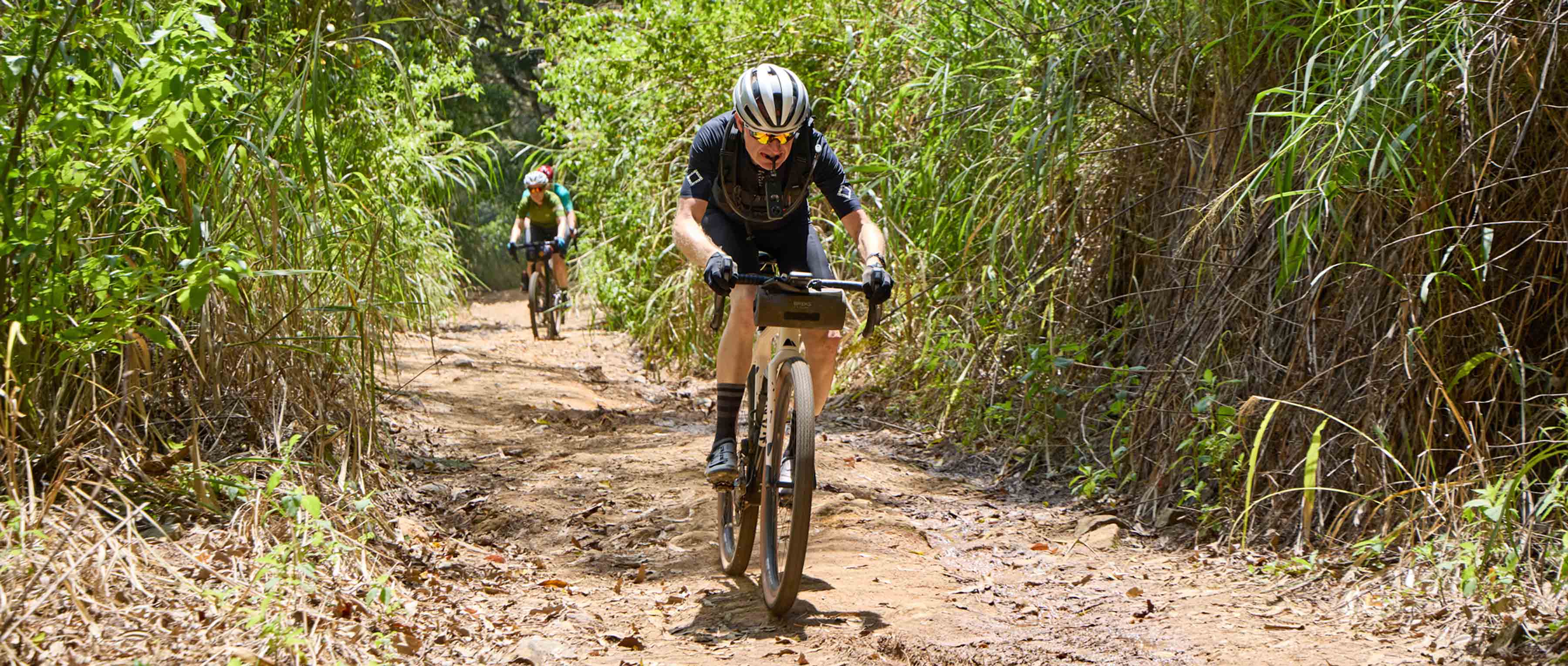
It’s probably not something I should admit to anyone who has a background in Health & Safety (or, perhaps more importantly, my Mum), but I seem to spend quite a lot of my time riding my bike one-handed. I quite often steer my bike using my left hand and in my right hand you will find a variety of cameras or something related to cameras. Luckily I’ve developed pretty decent core muscles and have good trail memory, so I can reasonably happily ride down a trail, with my left hand piloting the bike while taking photos or shooting video with my other hand, splitting my time 70/30 between looking backwards (to make sure whatever I’m trying to capture is actually in shot) and looking forwards to make sure I’m not about to ride off a cliff. I’m not sure I would recommend this and it probably falls foul of every cycling risk assessment you’ve ever seen, but most of the time it works.
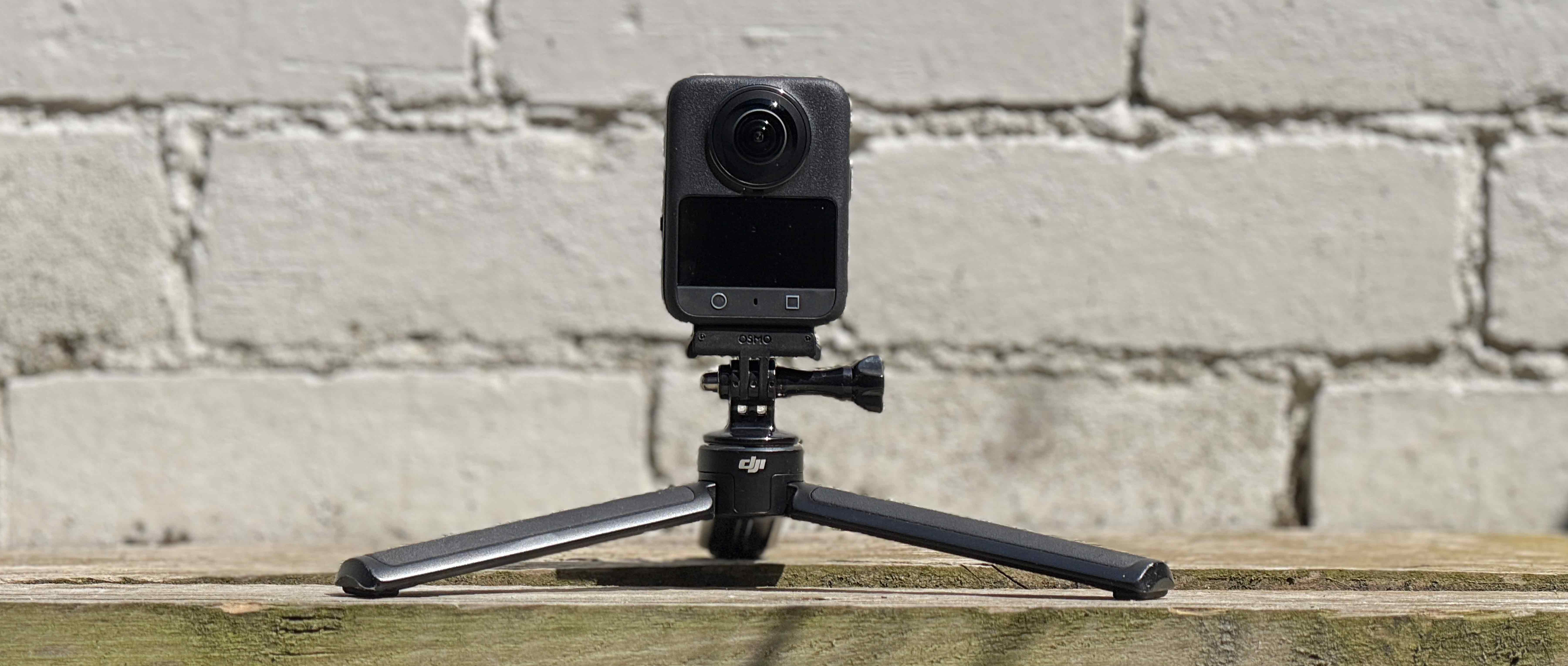
Imagine, though, if a camera existed which allowed me to point it more vaguely in the direction of what I wanted to film and then, afterwards, during the editing process, I could choose the exact point-of-view that I wanted the audience to see. That would mean I could essentially ignore what was going on behind me, focus more on the trail in front, but still be able to capture some decent shots. That, in essence, is the selling point to gravel riders of DJI’s Osmo 360 camera. I should say right from the start that the Osmo 360 is aimed at anyone doing anything vaguely sporty/outdoorsy/adventure-y and not just gravel riders, but my review and my opinion on it will (obviously) have a gravelly bias.
Background and specs
The 360-degree action camera market has been around for nearly a decade and after using 360-degree cameras for the past three years, I had a pretty good idea of what to expect - and how to get the best out of them. DJI was relatively late to the market. Rivals GoPro and Insta360 launched their first 360-degree cameras back in 2017, while DJI’s Osmo 360, their first 360-degree camera, didn’t arrive until July 2025. That later arrival had its advantages, though. The Osmo 360 demonstrates just how far the technology has come, offering a compelling set of capabilities that put it firmly on a par with - and in some respects ahead of - its more established competitors:
- Native 8K 360° Video
- 4K/100fps High-Frame-Rate 360° Video
- 10-bit & D-Log M
- Stunning Low-Light Performance
- 120MP 360° Photo
- 183g Compact Design
- 100-Min 8K/30fps Continuous Recording
- 105GB Built-in Storage
- High-Speed Transfer
- Stereo [audio] Recording
- Adventure-Ready: Waterproof & Cold-Resistant
- Gesture Control & Voice Control
- Fast Charging
- OsmoAudio™ Direct Microphone Connection
- Osmo Magnetic Quick-Release Ecosystem including Effortless Magnetic Charging
By combining cutting-edge tech with compatibility with the rest of the DJI ecosystem, DJI hoped to entice existing DJI owners to buy their new 360 camera too. A slick video promo probably did wonders for their sales and many gravel riders (including me) got pretty excited at the possibilities. I’ve used DJI’s products since 2015 and have flown hundreds of hours using their drone products. I’ve also spent a lot of 2026 shooting video and stills using their Osmo Action 6 camera, so I had a good idea of what to expect. The question is, how would the experience of the Osmo 360 live up to my expectations?
Mounts
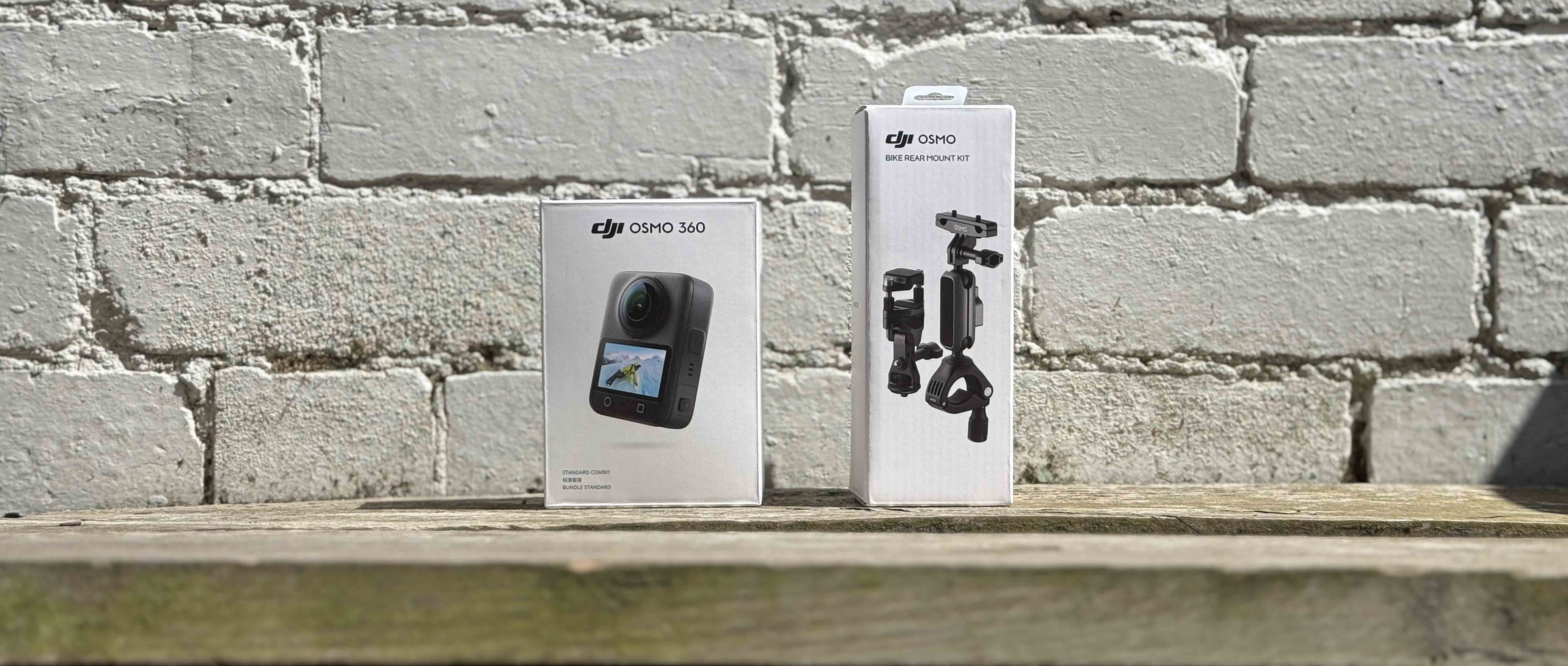
DJI sent me an Osmo 360 plus a bike rear mount kit to test and I already had one of their invisible selfie sticks from the Osmo Action 6 test back in March. I also had a range of other existing mounts (a grill mount to hold between my teeth, a seat rail mount, a chest mount and a flexible do-anything mount). Finally, I bought a set of DJI’s plastic lens protectors, as I knew from (bitter) experience that sooner or later I would drop the camera and, as the lenses sit proud of the camera body, they’re very susceptible to damage.
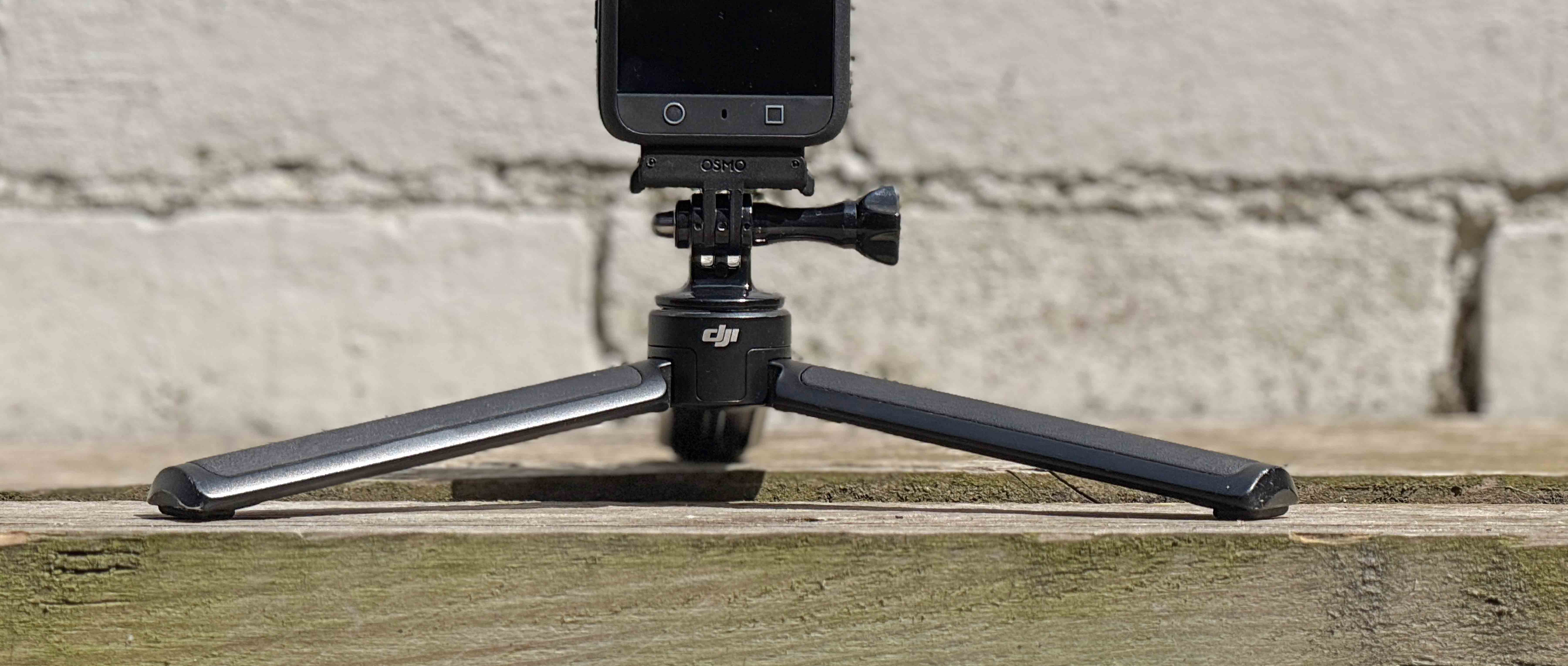
What was interesting straight out of the box was that when I tried to connect the Osmo 360 to the DJI magnetic mount (which worked so brilliantly with the Osmo Action 6), it didn’t connect anything like as easily/simply. I assumed that I was doing something wrong, so I tried rotating it and then I used a different magnetic mount, but with no luck. The connection with the Action 6 is instant and super secure. The connection with the Osmo 360 was inconsistent – sometimes connecting perfectly, sometimes not working at all.
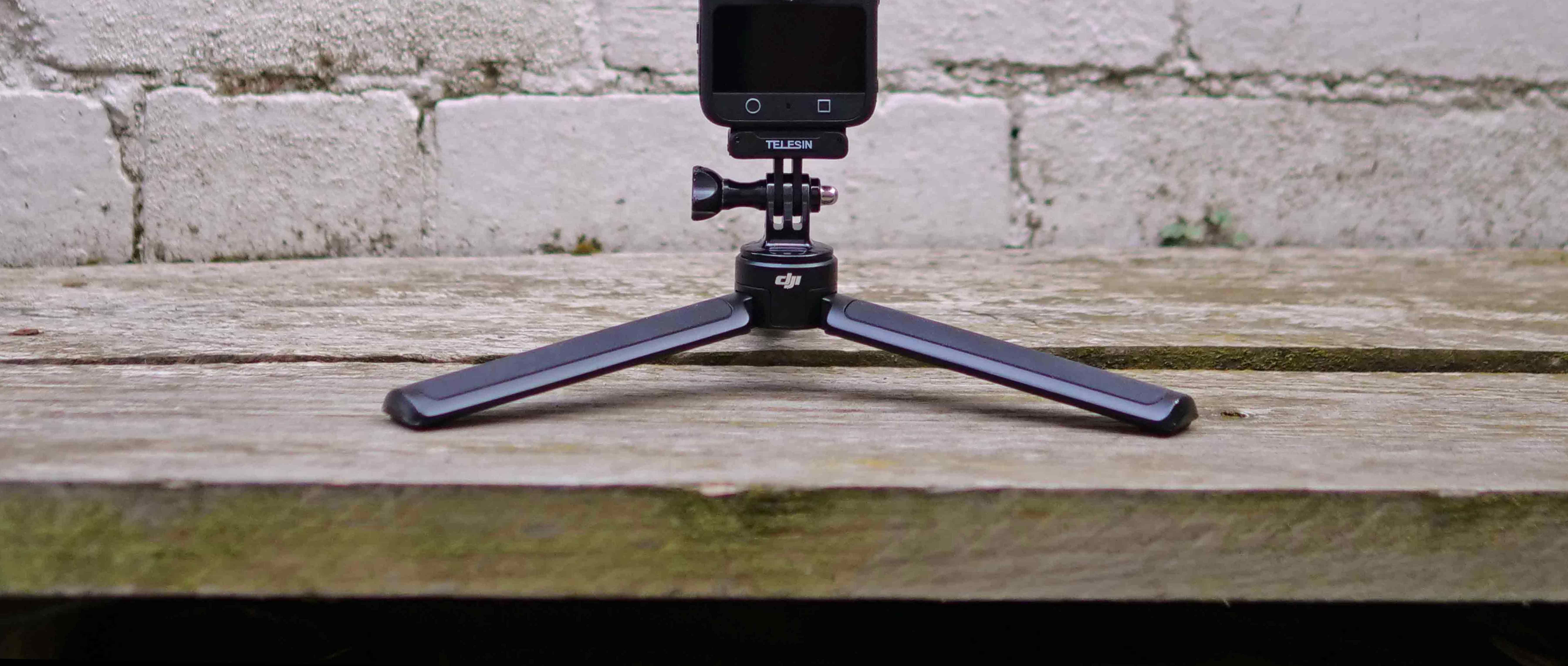
I did a quick web search and was somewhat relieved to see that I wasn’t alone – quite a few people had commented on how inconsistent the connection was. I read quite a lot of reviews recommending a Telesin Magnetic mount instead, so I bought one and the fit was significantly better. Eventually, I got DJI’s own mount to work properly - I realised I needed to manually wiggle the connection lugs to ensure they locked securely into the base of the camera. As long as I did this, the connection was actually better than that offered by the Telesin aftermarket mount, but I was a little surprised that it wasn’t slicker.
Set up
As with the Osmo Action 6, you can control the Osmo 360 using either the touch screen on the front or by using the DJI Mimo app (downloadable for free). There are a couple of settings which are only available on the camera (turning wind noise protection on/off, for example), but most other settings can be altered in the app or on the camera. Before I first used the Osmo 360, I had done some web research and found this really great video giving an overview of recommended settings and some useful tips for getting the most out of the camera. Based partly on the advice from the video and partly on trial-and-error, I worked out that there were some key settings (and set-up options) that needed to be tweaked to achieve the optimum quality of both video and audio (from a gravel rider’s perspective):
- I used consistent quality and frame rate settings – Panoramic video, 8k resolution, 24 FPS, Auto exposure, Auto white balance, Normal 10 bit colour, Stabilisation set to “daily”
- I recommend that you turn on the wind noise reduction facility and set it to ‘high’ if you want to use the audio that comes out of the camera. Once set to high, the wind blocking is remarkably good and the audio quality, even when riding, is generally pretty decent.
- DJI’s own plastic lens protectors can be affected by unwanted glare/reflections/distortion and scratch very easily. After trying (and damaging) two sets, I spent the money on a set of tempered glass protectors instead. They are nearly three times the price of the plastic ones, but the difference in quality was dramatic.
As with any new camera, there’s a learning curve, and it’s clear from the footage just how much I improved over time. The later clips are noticeably better than my early attempts, as I became more familiar with the camera and learned how to get the most from it.
Out on the trail
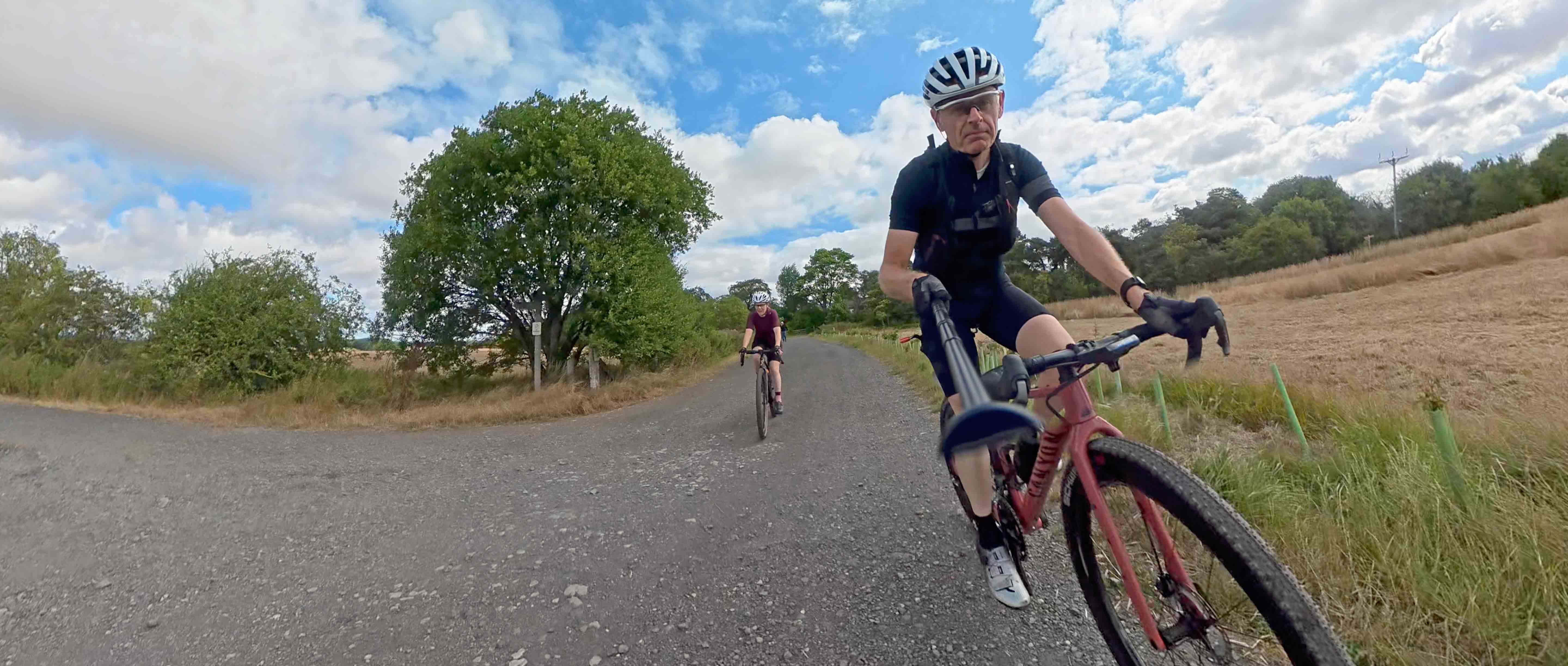
My first test filming session was on a series of gravel trails not far from Gravel Union HQ, which are (unusually for Northumberland) pretty smooth and fast. I tried a mixture of shooting styles - handheld (using the grill mount as a kind of handle), holding it in my teeth, using the selfie stick handheld and mounting the selfie stick to the rear of my bike using DJI’s bike rear mount kit. I realised pretty quickly that if fully extended, the selfie stick flexed significantly on anything but completely smooth surfaces, so I adjusted it to a shorter setting and carried on filming. Although the vibration was noticeable, on smoother gravel trails it was minimal and the finished footage looked good.
“Well, that didn’t work very well!”
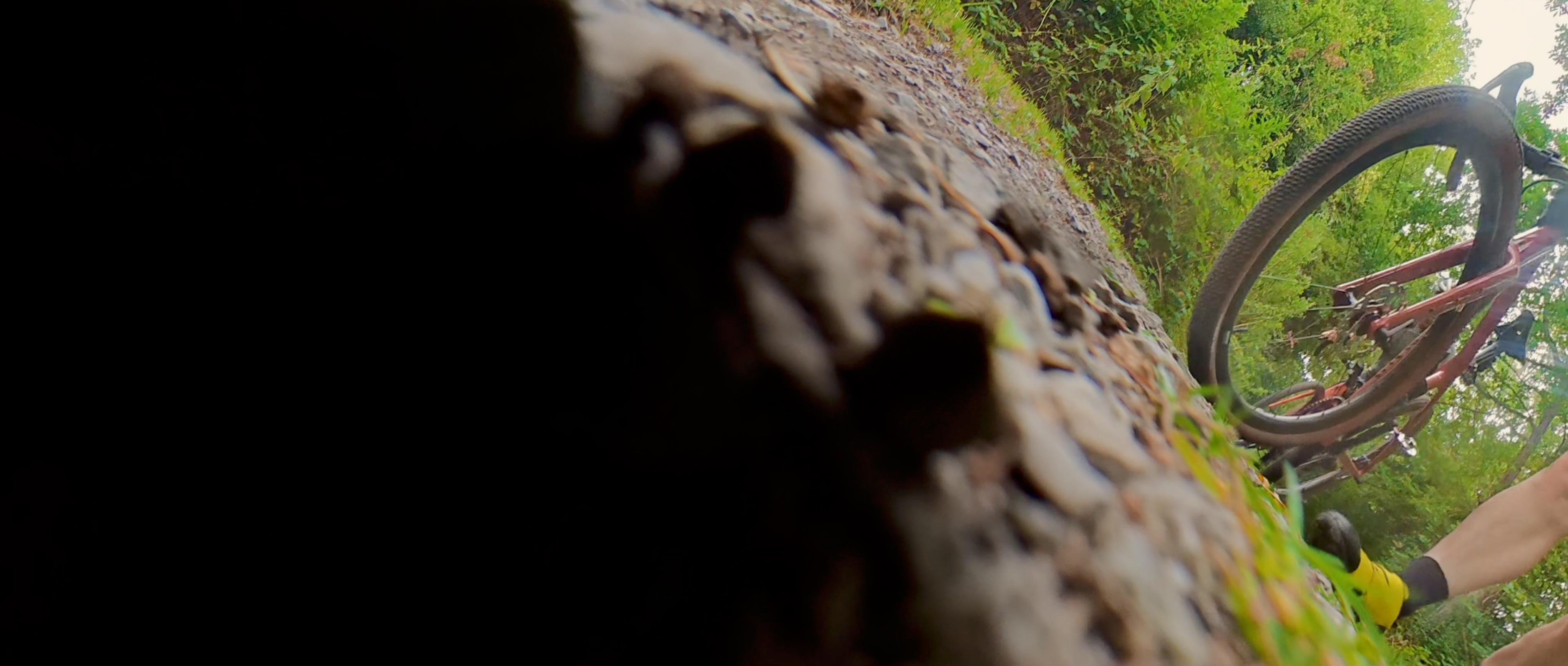
This is not a view that you want to have from an expensive (and only two-rides-old) action camera, but sadly my experience using the DJI selfie stick on the back of my gravel bike ended somewhat prematurely. I had set the camera up to film some riders behind me and had reduced the length of the stick to the bare minimum, using the thickest sections of the stick to ensure it was as rigid as possible. The trail that I was filming on was fast, but pretty smooth, so I assumed that the stick would be able to cope fine. Unfortunately, however, after only a few minutes of riding, the end of the stick sheared off and the camera hit the deck with quite a crunch. The camera had some pretty deep gouges in the surface and the (one-day-old) lens protectors were ruined, but miraculously the camera functioned perfectly, so I was able to continue filming, just not from the back of the bike.
When I later chatted with the team at DJI and told them about my experience with the selfie stick, they said that they offer different types of selfie sticks and that the one I had been using was designed for the lighter Osmo Action 6 camera (which weighs 34g less than the Osmo 360). With hindsight, I wish I had used one of their high-strength carbon fibre sticks instead, as I suspect that would have held up much better to the rigours of filming mixed-surface riding.
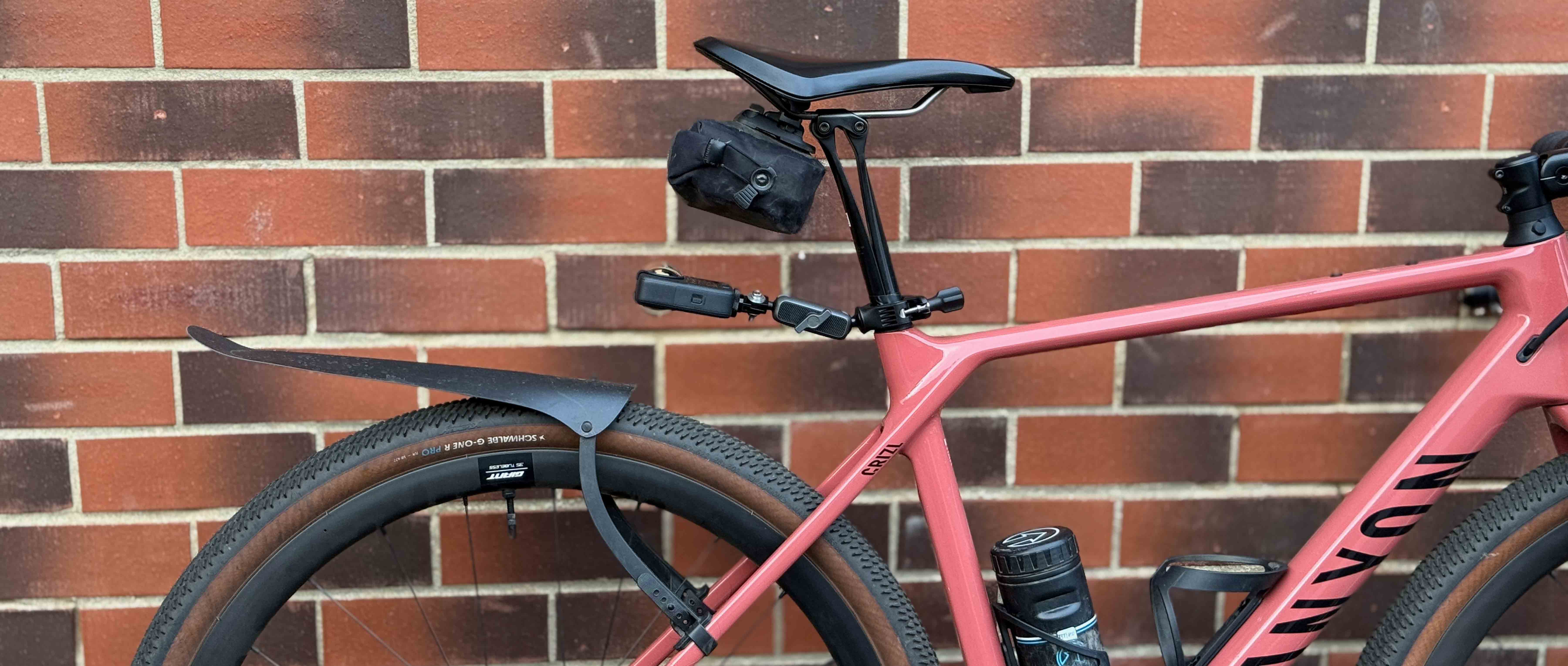
After the first selfie stick broke, I didn’t try and use the rear bike mount set-up again, figuring that it was probably best used for road riding. I did use a selfie stick (from a competitor brand) which I already owned for filming as a hand-held option, which worked fine, but I also tried different rear-mounted set-ups instead. My initial try wasn’t successful – DJI’s seatpost clamp worked perfectly, but the plastic adaptor brackets that I already owned couldn’t cope with the vibration and sheared. Next I tried DJI’s adjustable seatpost mount and that proved to be perfectly strong enough, but it didn’t extend far enough from the back of the bike, so the footage included too much rear tyre in the shot. Eventually I concluded that using a seat rail mount was a better option, as this gave a higher perspective and reduced the amount of tyre in shot, while also appearing to be significantly stronger/less prone to flexing.
Results
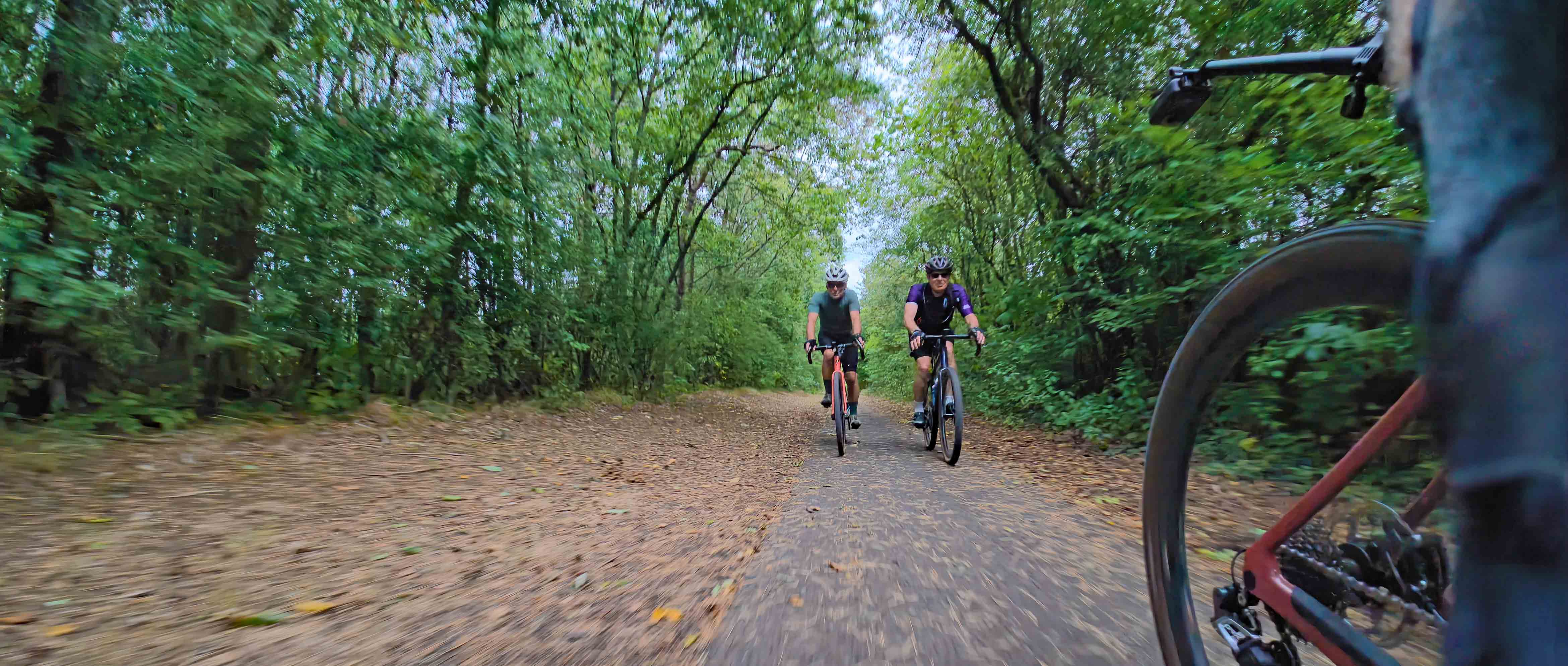
Having got my different mounting options sorted out and camera settings dialled in, what was the actual footage like? In a word, excellent! The quality of the footage is outstanding, with some real ‘oomph’ to the colours and the clarity of the image. I was particularly impressed by footage captured in low-light or mixed-light conditions – the large sensor size and processing wizardry meant that shots captured in low-light conditions were dramatically better than I was expecting.
The wide field of view, combined with the built-in horizon levelling and anti-shake software, does a good job of stabilising the image and providing an immersive experience for the viewer. Digital stabilisation is not yet as advanced as mechanical stabilisation (in the form of a gimbal) and there is some juddering/shake visible in the footage, particularly when the camera was mounted to the bike. Your body does a remarkably good job of stabilising the camera, so the shots which were handheld or using the grill mount are noticeably steadier.
Editing – the Achilles heel?
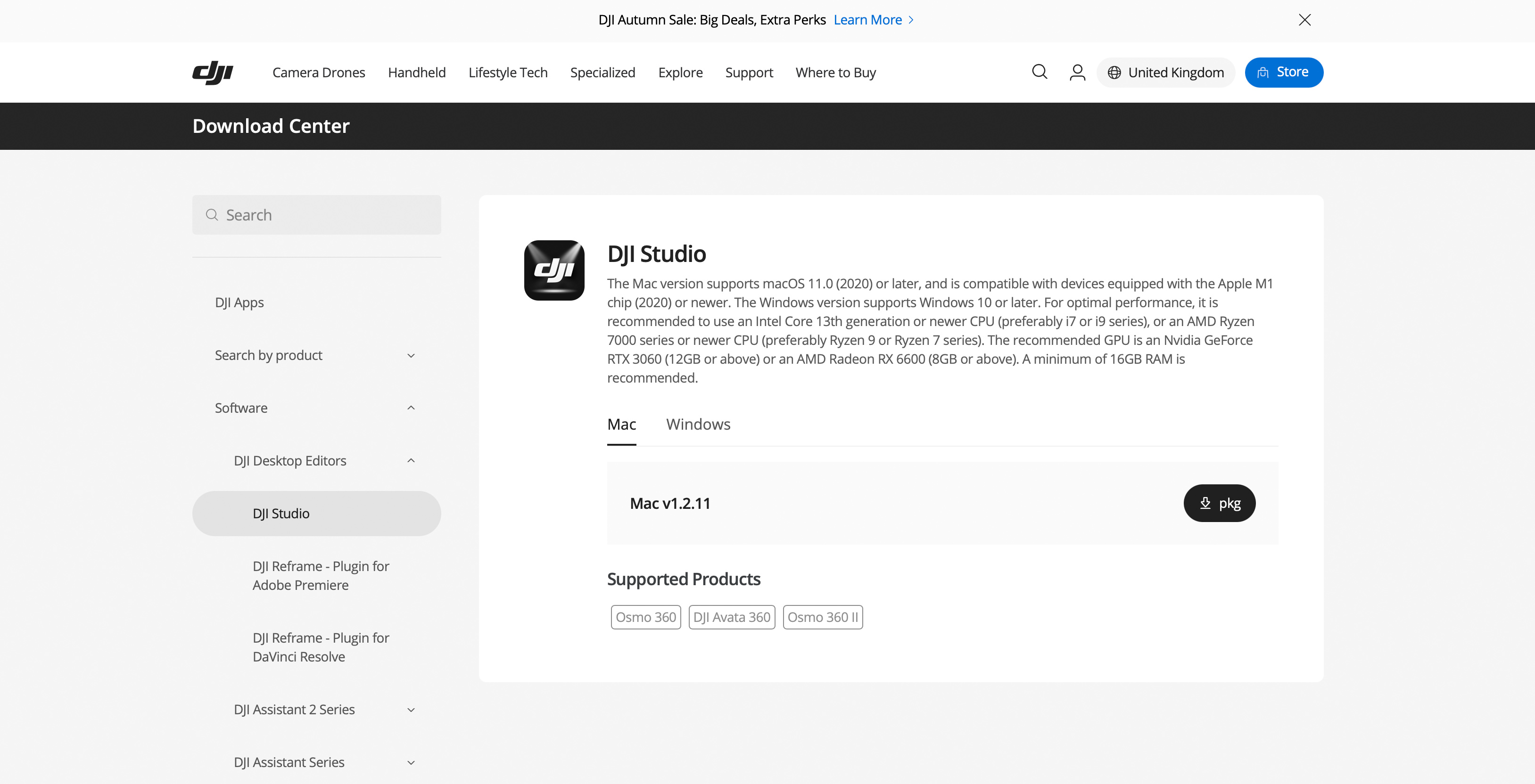
I’ve worked professionally with a variety of video editing packages for more than 15 years and so I assumed that I would be able to figure out how to use DJI’s Studio software pretty quickly. You can edit the footage using DJI’s Mimo app on your smartphone, but I didn’t try it - my personal opinion is that you’re better off editing on a large screen. If you decide to edit the footage using a computer, the 360-degree nature of the footage created by the camera needs to be turned into a ‘flat’ picture using DJI’s software before you export it to your video editor of choice (FCPX/Devinci/Premier etc).
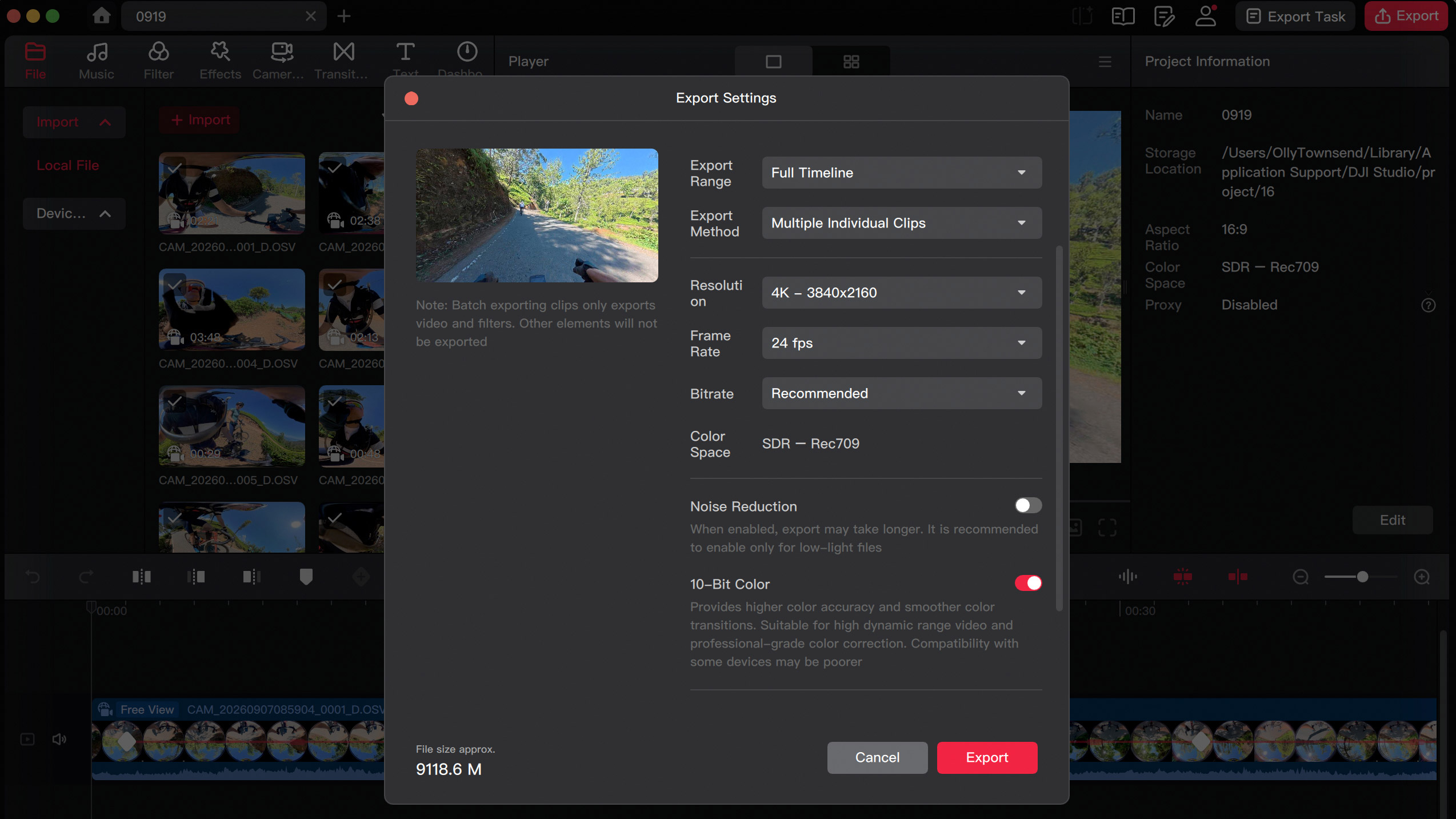
After my first filming session, I followed my standard process – I downloaded the footage from the camera, saved it to a hard drive and then opened up the editing software. I spent quite a while trying to understand why the software wouldn’t do what I wanted it to before I realised that the iMac I generally use for video editing wasn’t compatible – it needed to have an M1 chip and mine was the last of the 27” Intel versions, so I needed to switch to my newer laptop instead. The software worked better on my laptop, but still wasn’t all that intuitive. There are a number of things that gravel riders will want from the footage and I suspect the main one is that if the camera operator is following a rider down the trail/road, they will want to easily make the rider the centre of the shot and to ‘track’ them through the shot. I’d used some competitor software in the past with a different 360-degree camera and I remember how amazed I had been at how easy it was to use, particularly when it came to subject tracking.
Sadly, with DJI’s Studio app, this is not a straightforward task. Again, I found a fantastic resource on YouTube which I used as my editing ‘bible’. There is a way of automating the tracking process, but my experience was very mixed – the software seemed unable to keep the horizon consistently level or to keep the rider central in the shot, so for 90% of my shots I ended up manually tracking the ‘subject’ using ‘key frames’. This works really well, but is very labour-intensive and was a little disappointing in comparison to my previous experience using the competitor software. Hopefully, future iterations of the DJI Studio app will make this process simpler and quicker.
Overall
Despite a few niggles, my overall experience with the DJI Osmo 360 has been very positive. The camera is incredibly easy to use, while the quality of the finished footage is genuinely impressive. If you’re a gravel rider considering buying one, it’s worth giving some thought to how you plan to mount the camera. In my experience, body mounting works better than mounting it directly to the bike, producing more interesting and usable footage. The editing process is currently a little fiddly, although there are some excellent YouTube tutorials available that can help you get the most out of the camera. Hopefully, future versions of DJI’s editing software will streamline the process and make it quicker and easier.
Since we received the unit for review, DJI has released version 2 of the camera. The latest model brings several improvements, including user-replaceable lenses with a scratch-resistant coating, native 8K/60fps video (up from 8K/50fps), 14.5 stops of dynamic range (up from 13.5 stops), and support for RAW and HDR 360 photos. DJI also now offers a “road cycling POV combo”, which includes a carbon-fibre selfie stick. The price of the latest camera body has increased by £100, although DJI is currently offering the V1 model at a significant discount.